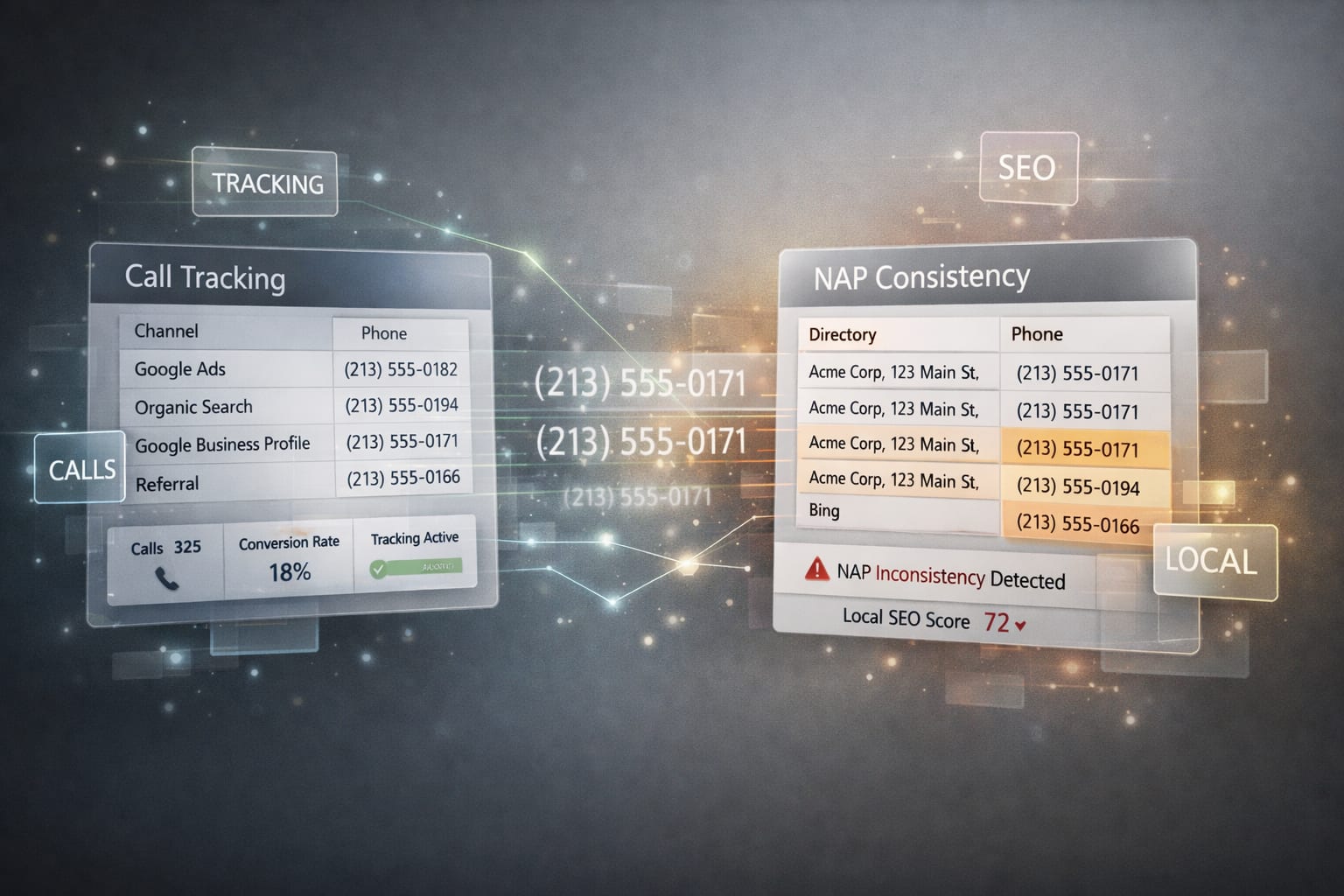
B2B call tracking is the infrastructure that records, transcribes, and routes every inbound call, attributing each one to the marketing source that drove it. Installed correctly, it lifts answer rates to 100%, surfaces source-level ROI, and feeds AI-verified data into the CRM before a rep ever touches a lead. Installed wrong, it quietly breaks NAP consistency (Name, Address, Phone) across dozens of directories and damages local search rankings for every location you operate.
This guide covers both sides. What call tracking enables. What to audit before you install it. How to implement dynamic number insertion without harming local SEO. How to handle multi-location setups. And what to watch out for when your tracking numbers meet directories you do not control.
What B2B call tracking actually does
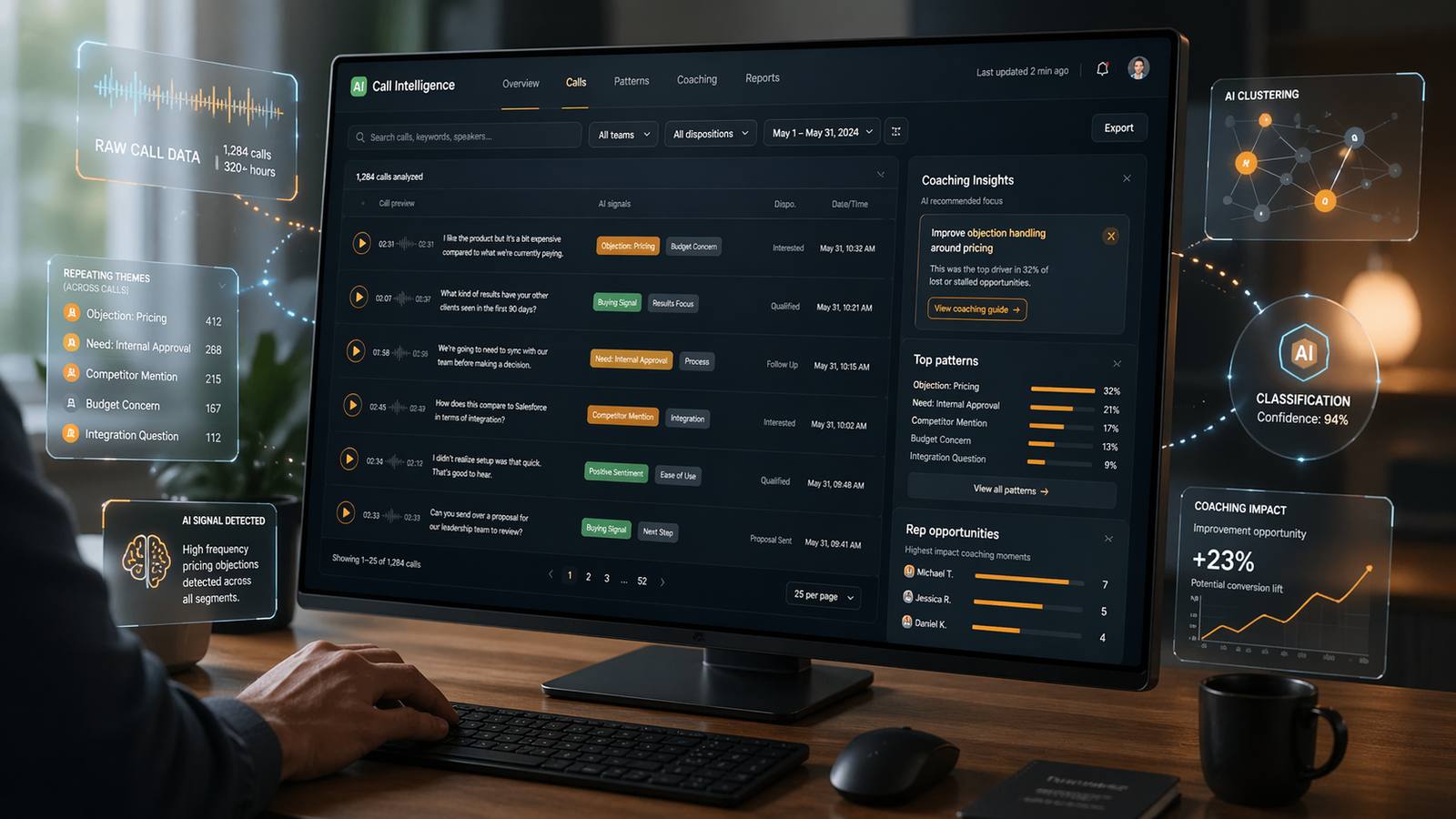
Call tracking assigns dedicated phone numbers to your marketing channels, so when a prospect calls, you know which campaign, page, or keyword brought them in. Modern platforms do six things:
- Record every inbound call with timestamped audio
- Transcribe the conversation via AI and score it against your criteria
- Attribute the call to a source: organic search, paid search, direct, referral, or specific campaign
- Route the call to the right rep based on location, product interest, or availability
- Push structured data into the CRM: source, score, keywords, summary, recording link
- Generate reports on answer rate, lost-call rate, and conversion by channel
For B2B companies where a phone call is the highest-value conversion (equipment sales, industrial services, fleet rental, professional services), call tracking is the only way to connect marketing spend to the channel that actually drove the deal. Without it, sales tells marketing "we do not know where our calls come from," and marketing optimizes blind.
What call tracking enables once live
Once your tracking is in place and clean, six outcomes become available.
- Channel-level ROI attribution - cost-per-qualified-call replaces cost-per-click as the comparison metric across every source.
- 100% answer rate - overflow rules route unanswered calls to a secondary rep or a callback queue from day one.
- Call script compliance - every call scored against your greeting, discovery, and next-step standard, not against a supervisor's intuition.
- AI-verified CRM fields - fields like "budget confirmed" get populated from the recording, not from a rep's memory.
- Rep coaching at scale - managers compare top 10% and bottom 10% calls from concrete examples, weekly instead of monthly.
- Campaign spend reallocation - cost per qualified call by source makes kill-or-scale decisions automatic, inside revenue analytics.
Static versus dynamic call tracking: the DNI question
There are two implementation models for call tracking on a website.
Static call tracking assigns one permanent tracking number per channel. The number for Google Ads never changes. The number for your Yellow Pages listing never changes. Simple, cheap, and sufficient for small footprints with a handful of marketing sources.
Dynamic Number Insertion (DNI) assigns a pool of tracking numbers that the website swaps in based on the visitor's referral source. A visitor who lands from organic Google sees one number. A visitor from paid Google sees a different one. A direct visitor with no referrer sees the canonical tracking number, the default the HTML ships with. In a well-designed setup this canonical is the tracking number assigned to Google Business Profile, because GBP drives the majority of inbound calls in most B2B verticals. The legacy native business number (the one printed on trucks, invoices, and brochures for years) continues to ring, but its calls flow into a separate "direct" attribution bucket, equivalent to direct traffic in GA4, instead of being re-attributed to any marketing channel.
The DNI trade-off is that it adds technical complexity and creates a specific local SEO risk: if you use different tracking numbers on Yelp, Apple Maps, and your website, Googlebot sees three different numbers for the same business and NAP consistency is gone. The solution is not to avoid tracking numbers on external surfaces, it is to use the same canonical tracking number on every external surface. That keeps NAP intact while still capturing attribution for the channel that drives most of the volume.
For multi-location B2B, DNI is almost always the right choice. Keyword-level attribution is how you figure out which campaigns are profitable in which markets. Static tracking cannot give you that. But it has to be implemented carefully.
Pre-install audit: what to check before flipping the switch
Before installing any call tracking platform, audit four things. Skipping this step is the single most common cause of broken local SEO during a rollout.
Your canonical number per location
Every location needs one canonical phone number that appears identically in the HTML of that location's page, the schema markup, the Google Business Profile listing, and every external directory citation. In a call tracking setup, this canonical is a dedicated tracking number, typically the one assigned to Google Business Profile, because GBP drives the majority of calls in most B2B verticals. The legacy native business number does not become the canonical: it keeps ringing, but its calls land in a separate "direct" attribution bucket and it never appears in public citations after go-live. If your existing setup has different numbers in different places, fix that first. Tracking layered on top of existing inconsistency makes a bad problem worse.
Your existing NAP footprint
Run a citation audit through BrightLocal, Whitespark, or Moz Local. You need to know which platforms currently list each location and whether the current name, address, and phone number match. The 2026 Whitespark Local Search Ranking Factors report places citations at roughly 9% of Google's local ranking algorithm, but businesses with 95% NAP consistency across their top 50 citations rank an average of 3.2 positions higher in the local pack than businesses at 85% consistency. The gap matters in competitive markets.
Your schema markup state
Every location page needs LocalBusiness schema in JSON-LD format, with the canonical telephone property matching the GBP listing and the hardcoded HTML number. Schema mismatches create cloaking risk with Google and weaken the first-party signal that establishes entity confidence.
Your Google Business Profile configuration per location
Each GBP listing supports a Primary phone number and an Additional phone number. The structure matters for how tracking integrates. If any of your GBP listings have the wrong primary number, phone numbers that do not match the website, or mixed-up category assignments, fix them before call tracking complicates the picture.
DNI without breaking local SEO
DNI works through JavaScript that runs after the initial HTML loads. Because the swap happens after page load, the canonical number remains in the raw HTML source code that Googlebot first sees. Major platforms like CallRail go further and specifically detect Googlebot, serving the canonical number even if the bot executes the JavaScript.
Three rules keep your DNI implementation safe.
Rule 1: Schema telephone property quotes the canonical tracking number
The schema.org telephone property in your LocalBusiness JSON-LD must match the canonical tracking number, the same number visible in the hardcoded HTML before JavaScript runs and the same number every external citation quotes. Schema, source HTML, GBP Primary, Yelp, Apple Maps, BBB, and every aggregator listing all hold the same canonical. That alignment is what entity reconciliation depends on.
Rule 2: GBP Primary is the canonical tracking number
Google Business Profile allows a Primary and an Additional phone number. Primary holds the canonical tracking number, which captures attribution for Google Maps click-to-call and matches every external citation for NAP. Additional stays empty in a single-location setup, or holds a departmental tracking number if the business runs separate GBP listings per division (Rental, Parts, Service, Power Systems). Do not place the legacy native business number in Additional: saved-contact calls to that number would re-attach to GBP and inflate GBP attribution against the "direct" bucket where they belong.
Rule 3: The noscript fallback mirrors the canonical tracking number
If your DNI implementation uses a noscript tag for crawlers that do not execute JavaScript, that tag must contain the canonical tracking number, not the legacy native business number. Whatever Googlebot sees has to match schema, GBP Primary, and every external citation. A mismatched noscript creates a genuine cloaking signal that Google treats as a trust violation.
Implemented this way, DNI creates zero local SEO risk and keeps channel-level attribution intact for every source that can be swapped dynamically, paid search and campaign-specific landing pages included.
The external directory trap
DNI only works on your own website. On every external platform, Yelp, Apple Maps, Facebook, BBB, industry directories, and data aggregator listings, the phone number is hardcoded and cannot swap per visitor. A call tracking vendor will often recommend assigning each platform its own unique tracking number to preserve channel attribution. That advice is where local rankings quietly die.
Once each directory carries a different tracking number, Googlebot reads Yelp, Apple Maps, BBB, aggregator listings, and your website and sees three or four different phone numbers for the same business. NAP consistency is gone the day the tracking goes live, and Google's local trust signals start eroding within the next ranking refresh.
The propagation problem compounds the damage. Yelp is the primary upstream data source for Apple Maps: Apple pulls business data from Yelp, Foursquare, and user-submitted corrections, which means a Yelp tracking number appears on Apple Maps within days or weeks, automatically. The data aggregators (Data Axle, Neustar Localeze, Foursquare) feed 50 to 150 downstream directories each, so one tracking number on one aggregator listing propagates across the open web inside 60 to 90 days. Cleaning it up takes far longer than creating it.
The correct rule is single-canonical-everywhere. One canonical tracking number, typically the one assigned to Google Business Profile because GBP drives the majority of calls, appears in every external location a crawler can read:
- Your website's hardcoded HTML, LocalBusiness schema, and DNI noscript fallback
- Your Google Business Profile Primary phone field
- Yelp, Apple Maps, BBB, Facebook, and every industry directory
- Every data aggregator listing (Data Axle, Neustar Localeze, Foursquare)
You lose the ability to separate Yelp-attributed calls from GBP-attributed calls, because both now ring the same canonical tracking number. You gain NAP consistency across the entire external citation graph plus full call tracking on every external surface that matters. For the roughly 90% of B2B verticals where GBP is the single largest call-driving channel, that trade is clearly the right one.
Other channels (paid search, email, SMS, specific landing pages) can still have their own tracking numbers, but only on surfaces Googlebot never reads as citations. Dynamic swap on your own website via DNI, click-to-call buttons in paid ads, SMS short codes in a campaign. Never on a platform a crawler can index.
The legacy native business number (the one printed on trucks, buildings, invoices, and brochures for years) stays in service as a forwarded inbound line, but is not published on any new external citation going forward. Saved-contact calls to it flow into a "direct" attribution bucket, the phone equivalent of direct traffic in GA4, instead of being re-attributed to SEO or any other channel.
Multi-location B2B setup
For businesses operating across multiple branches, territories, or dealer locations, the complexity compounds. Four rules prevent the drift that destroys local rankings over time.
One tracking number pool per location
Each location gets its own set of tracking numbers for its own channels. Mixing tracking numbers across locations destroys attribution data and makes reporting unusable. A call from the Midwest market should not carry the tracking number assigned to the Northeast.
Per-location canonical numbers align everywhere
The canonical tracking number for each location (typically the GBP tracking number for that branch) must match in the location page HTML, the location page schema, the location GBP Primary field, the location Yelp listing, the BBB listing, and every industry directory that lists that branch. This is the most time-consuming step and the one that gets skipped under delivery pressure. When it drifts, local rankings for that specific location drift with it.
Enterprise bulk update tools
For businesses with many locations, platforms like BrightLocal, Yext, Moz Local, and PinMeTo push NAP updates across hundreds of directories via API. Manual updates through each directory's business owner portal do not scale past a handful of locations.
Governance to prevent drift
Location-level staff often update third-party listings themselves to fix a perceived problem. Over months, inconsistencies creep back in. The rollout needs a single owner, documented rules for what goes where, and a quarterly audit cadence. Without governance, you fix NAP once and watch it drift back to inconsistency within a year.
Department GBP listings for dealer divisions
For dealerships and multi-division operations, Google permits separate Google Business Profile listings for departments like Rental, Parts, Service, and Power Generation. The listings only qualify when each department has:
- A separate customer entrance
- A distinct primary GBP category with no overlap against the parent listing
- A unique phone number, which is where call tracking plays directly
- A dedicated landing page on the website
- Operating hours that vary from the parent listing
The naming convention rule from Sterling Sky is explicit: do not include the parent company name in the department listing title. "Equipment Rental" qualifies. "Acme Equipment Rental" does not. The reason is to prevent the department listing from cannibalizing the parent listing on branded search.
For call tracking, department listings are powerful because each department gets its own phone number that can be tracked separately. The Service department's inbound calls attribute to service campaigns, not the general dealer umbrella. This is how dealer groups discover that a meaningful share of parts revenue comes from a Google Business Profile they barely optimize, or that a large share of service calls comes from a directory they did not know they were listed in.
Synapse Edge is a B2B revenue infrastructure consultancy, not a software vendor. We design and implement these call tracking systems as part of broader commercial architecture work across multi-location dealers and industrial operators, where phone calls drive the majority of pipeline. Recent case studies document the pattern across equipment, industrial services, and fleet categories.
Key takeaways
- Call tracking gives you channel-level attribution, 100% answer rate, and AI-verified CRM data, but only when you pick one canonical tracking number per location and hold every external citation to it.
- Audit canonical numbers, existing NAP footprint, schema, and GBP configuration before installing anything. Tracking layered on top of existing inconsistency makes the problem worse, not better.
- Dynamic Number Insertion is safe for local SEO when schema, GBP Primary, the DNI noscript fallback, and every external citation all quote the same canonical tracking number.
- The canonical tracking number is typically the one assigned to Google Business Profile, because GBP drives the majority of calls in most B2B verticals. That single number goes on Yelp, Apple Maps, BBB, aggregators, and every industry directory, not a different tracking number per platform.
- The legacy native business number keeps ringing, but its calls flow into a "direct" attribution bucket and it stops appearing in new external citations. Other channels (paid, email, SMS) get their own tracking numbers only on surfaces Googlebot does not read.
- For multi-location businesses, one tracking pool per location, one canonical tracking number per location across every directory, and a single governance owner prevents the drift that destroys local rankings over time.
Business call tracking is the system that records, transcribes, and attributes every inbound call to its marketing source while routing the lead to the right rep. Done right, it gives B2B operators the same channel-level accountability the digital side of the funnel has had for a decade.
The piece most setups miss is that NAP consistency and channel-specific tracking numbers pull against each other. The resolution is a single canonical tracking number per location, typically the one assigned to Google Business Profile because GBP drives the majority of inbound calls in most B2B verticals. That one number shows up in schema, GBP Primary, Yelp, Apple Maps, BBB, aggregators, and every industry directory. Other channels still get their own tracking numbers, but only on surfaces Googlebot does not read as citations: dynamic swap on your own website via DNI, click-to-call buttons in paid ads, SMS short codes, campaign-specific landing pages.
The legacy native business number, the one printed on trucks, invoices, and brochures for years, keeps ringing. Its calls flow into a "direct" attribution bucket, the phone equivalent of direct traffic in GA4. It is not used in new external citations going forward, so saved-contact calls never get re-attributed to a marketing channel they did not come from.
If you run marketing, sales, or service at a multi-location B2B company and this is the order you would install it in, a short strategy call is the fastest way to pressure-test your current phone footprint before anything else changes. Book 45 minutes at synapseedge.com/strategy-call.