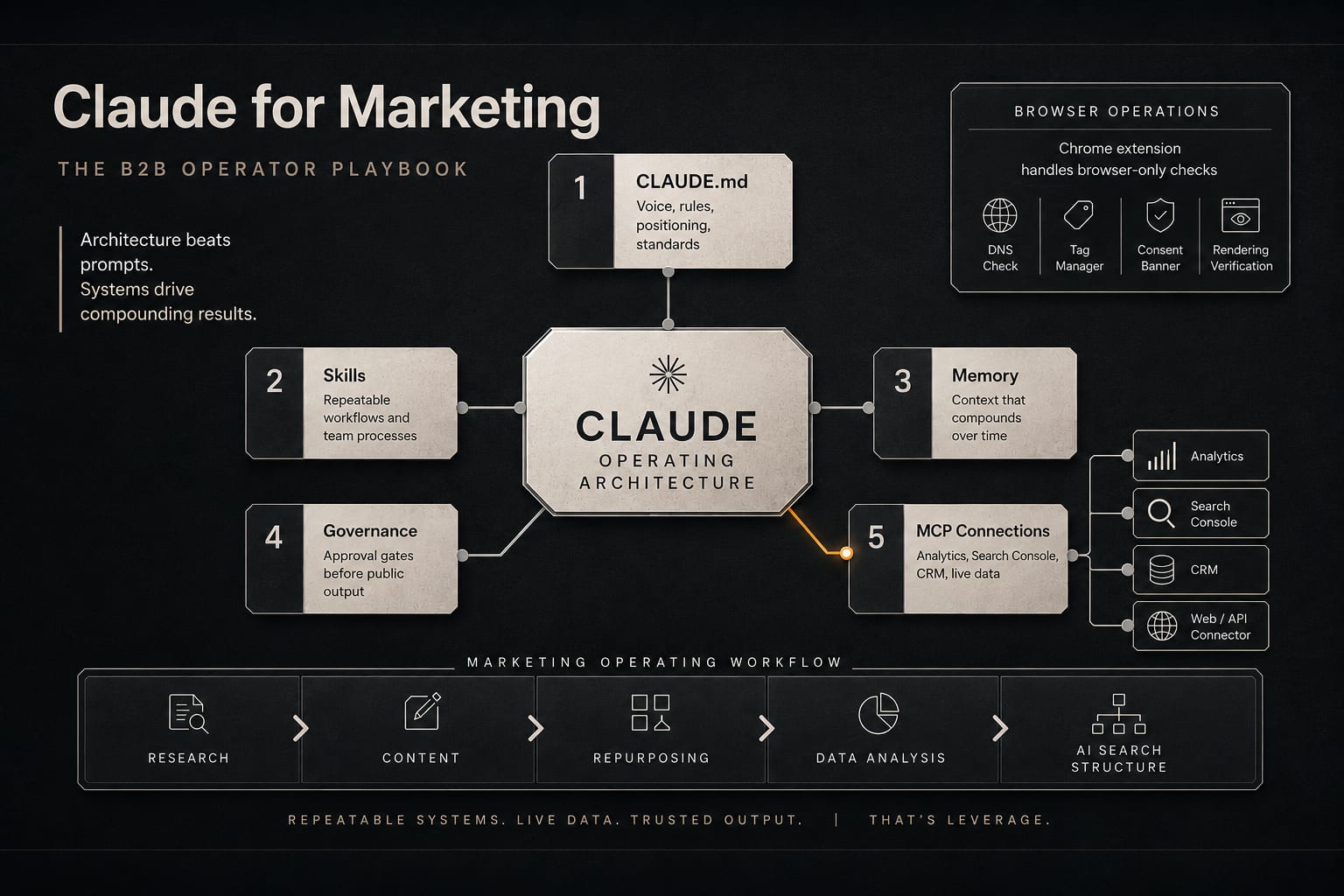
Claude for marketing is not a prompt library. The highest-leverage work in a B2B marketing team running on Claude lives in architecture, not wording: a CLAUDE.md file that holds your brand voice and rules, reusable Skills that encode how a task should be done, persistent Memory that survives between sessions, and MCP connections that let Claude read the tools you already use (analytics, search console, CRM, your own site). Synapse Edge is a B2B revenue infrastructure consultancy, not a software vendor, and the same principle we apply to a client's commercial stack applies here: the system beats the trick. A clever prompt produces one good output. A well-built architecture produces consistent output across every task, every author, and every week.
This matters now because most B2B teams are adopting AI the slowest possible way: one operator, one chat window, copy-pasting prompts they found on LinkedIn. That produces a marginal speedup on individual tasks and nothing that compounds. The teams getting real leverage treat Claude the way they would treat any other piece of revenue infrastructure: they centralize the rules, connect it to live data, and put human approval gates at the points that matter. This post walks through what that looks like in operator terms.
What does "Claude for marketing" actually mean for a B2B team?
It means running a defined set of recurring marketing jobs through one configured system instead of improvising in a chat box. In practice, B2B teams run five jobs on Claude.
- Research synthesis. Pulling a defensible point of view out of many sources: competitor pages, analyst reports, buyer-forum threads, primary research. The output is a sourced brief, not a vibe.
- Content production. Turning that brief into a draft that already sounds like your brand, follows your structure rules, and lands the internal links and CTA in the right places.
- Repurposing. Taking one pillar asset and deriving the LinkedIn post, the email, the carousel outline, and the sales-enablement one-pager from it, without re-explaining the source each time.
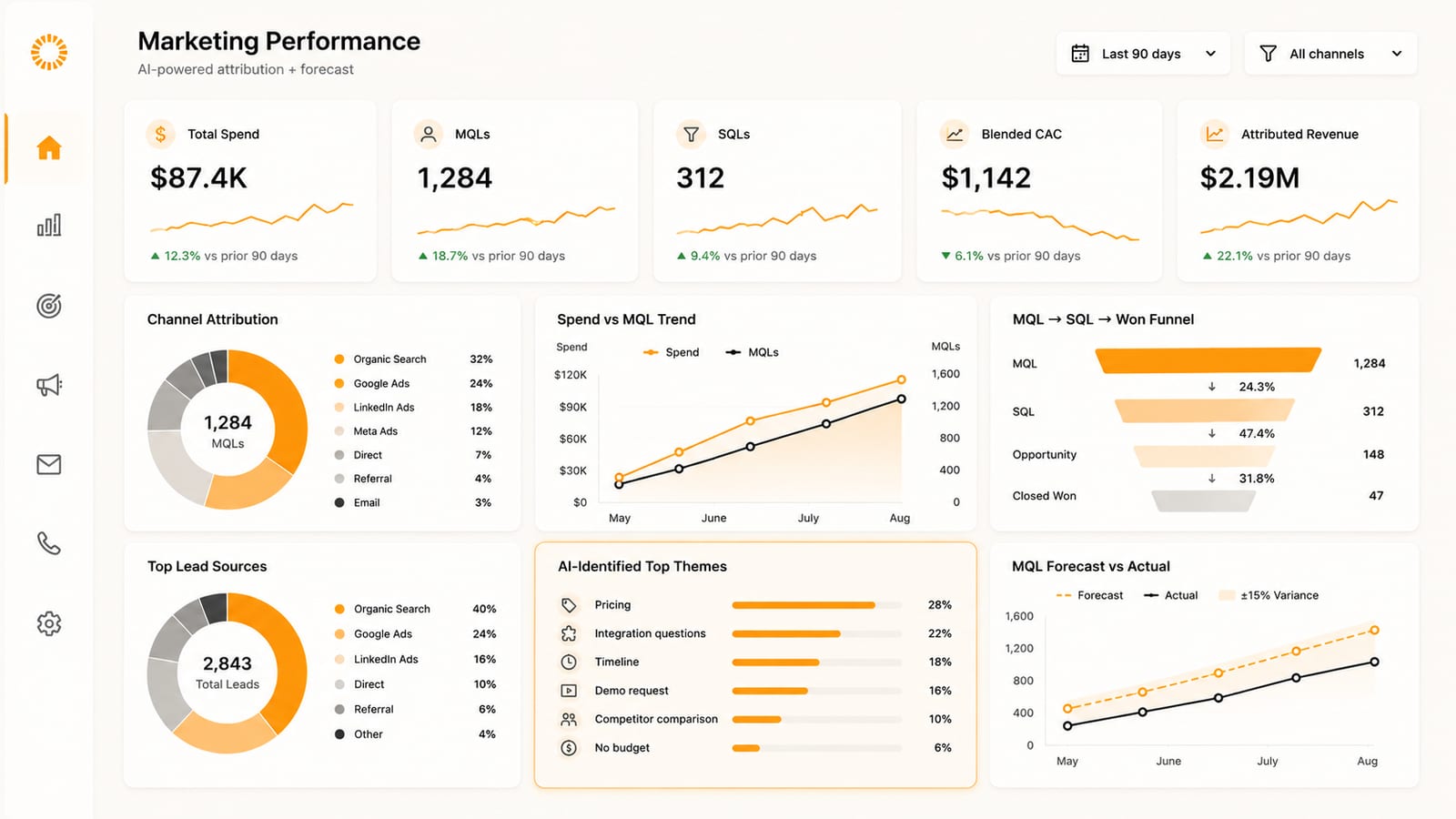
- Data analysis. Reading the numbers in your actual tools: which pages lost position, where attribution breaks, which channel is quietly inflating session counts. This is where MCP connections matter most.
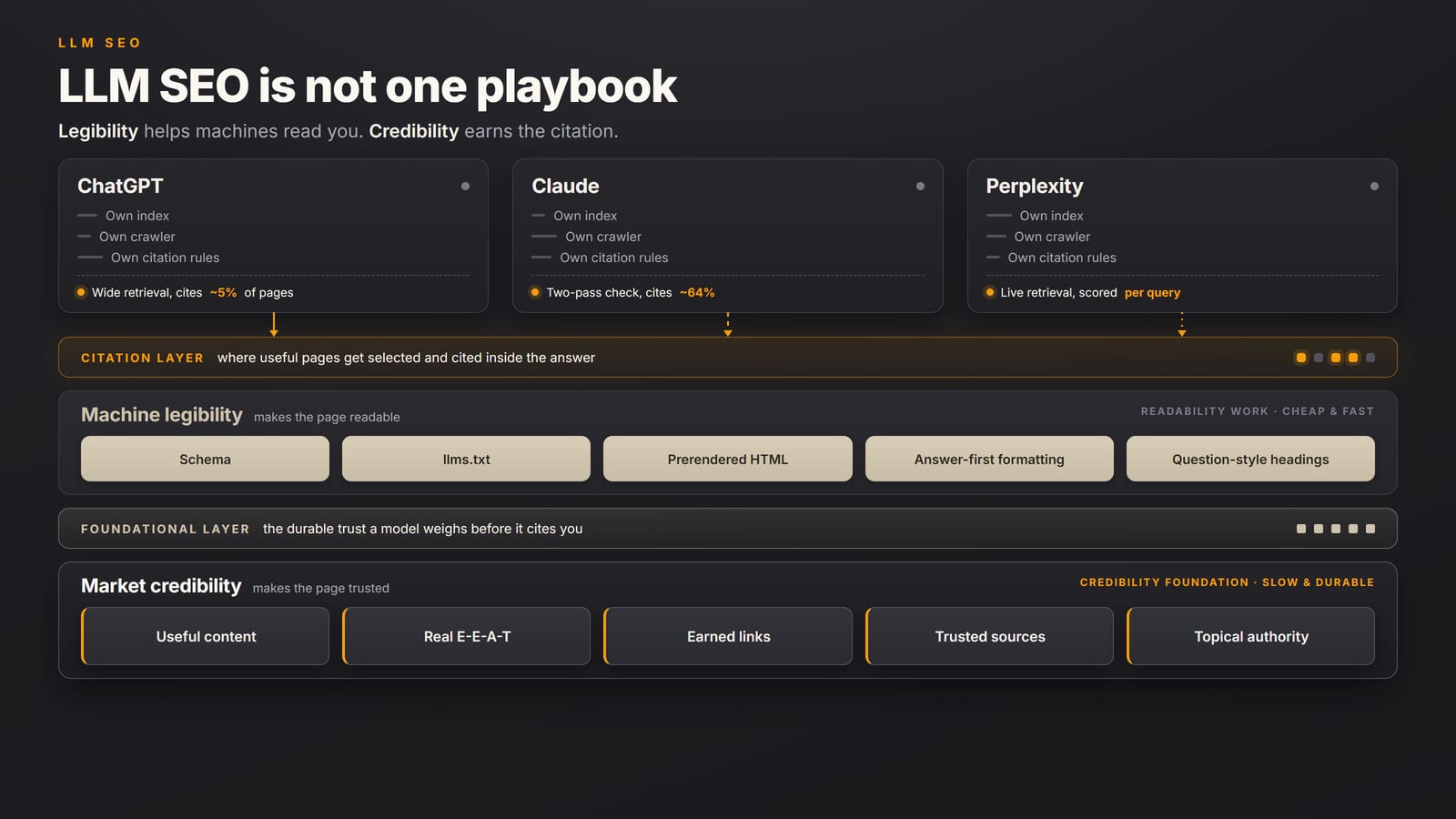
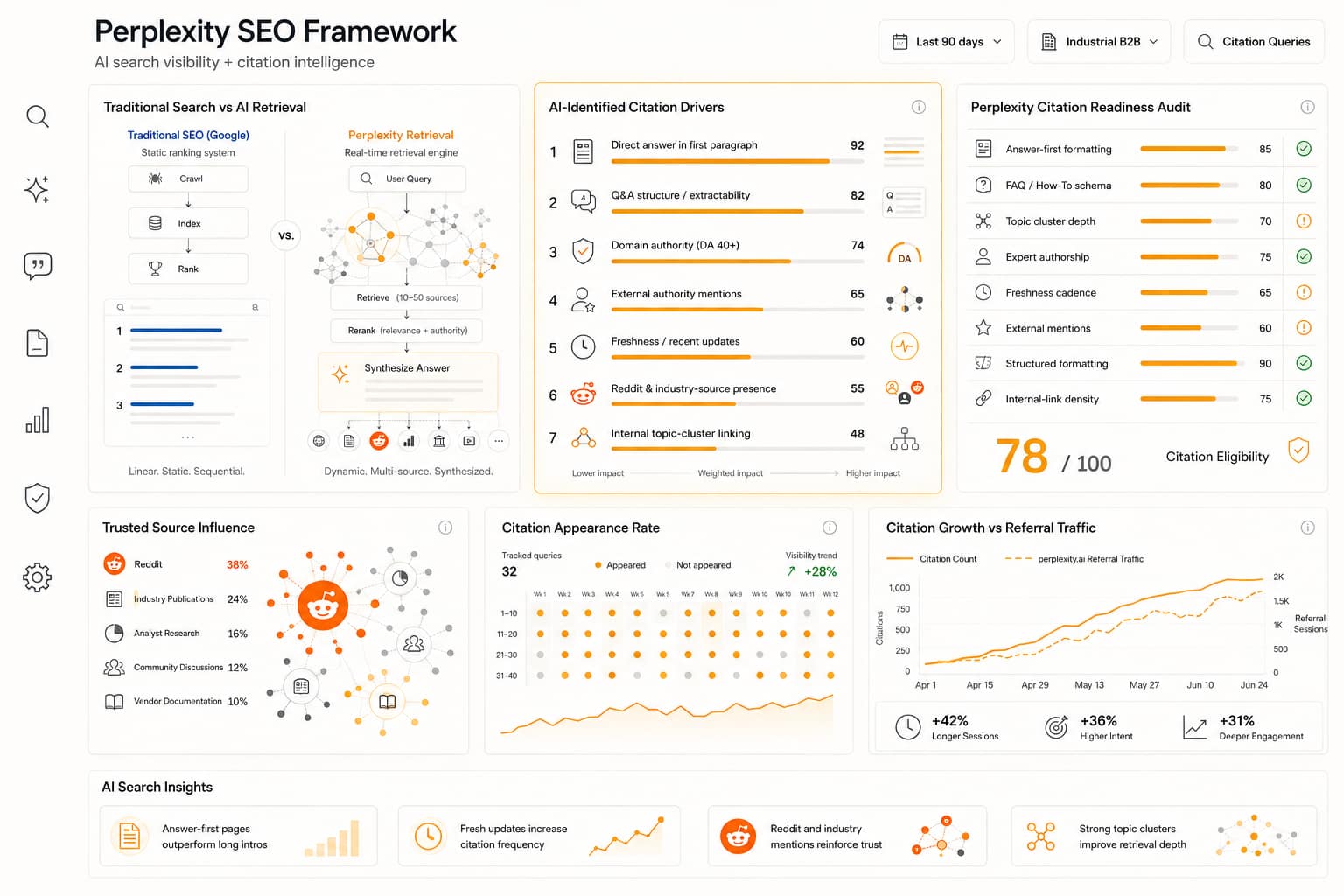
- Structuring for AI search. Rewriting pages so that ChatGPT, Perplexity, and Google AI Overviews can extract and cite them. Answer-first paragraphs, question-shaped headings, clean structured data.
None of these five jobs is a one-prompt task. Each is a repeatable process with a right way to do it. That is exactly why architecture, not prompting, is the unit of leverage.
Why does architecture beat prompts?
Because a prompt is a one-time instruction and architecture is a standing one. Four building blocks turn Claude from a chat window into a system that knows how your team works.
- CLAUDE.md. A plain-text instructions file Claude reads at the start of every session. This is where your voice, your banned phrases, your formatting rules, your brand tokens, and your do-not-do list live. Write the rule once and it applies to every output instead of being re-typed (or forgotten) on each task.
- Skills. Reusable, task-specific instruction modules. A blog Skill encodes your content architecture, internal-linking rules, and CTA mapping. An audit Skill encodes your deliverable structure. Skills are how "the right way to do this job" stops living in one person's head and becomes shared infrastructure the whole team inherits.
- Memory. Persistent notes that survive between sessions. Corrections you make once ("never name the brand in a dealer prompt", "American English only", "this client uses a terracotta palette") get written down and recalled later, so you stop re-teaching the same lesson every week.
- MCP connections. The Model Context Protocol is an open standard for connecting an AI assistant to live tools and data. Connect Claude to your analytics, your search console, your CRM, your backlink tool, and it reasons over your real numbers instead of a screenshot you pasted.
The difference compounds. A prompt-only workflow has the same quality ceiling every day because nothing carries forward. An architecture-first workflow gets better every time you encode a correction, add a Skill, or wire in a new data source. The voice gets more consistent, the rules get tighter, and a new team member inherits the whole accumulated standard on day one.
How do MCP connections change the actual work?
They move Claude from talking about your marketing to working inside it. Once Claude can read your live tools through MCP, the data jobs stop being copy-paste exercises and become direct investigations. A few anonymized examples from our own stack.
- GA4 cleanup. We traced a stubborn block of "Email" sessions that nobody had sent a campaign for. Reading the analytics directly, the source was transactional system traffic miscategorized as marketing email. The fix was a custom, bot-filtered channel group so the numbers leadership reads actually reflect marketing-driven sessions. That is a data-analysis job that is almost impossible from a pasted screenshot and trivial once Claude can read the property.
- Schema verification. Before claiming a page is missing structured data, we check it two ways: the crawler view and the rendered view through Google's Rich Results Test. Crawlers miss schema that is injected by JavaScript. Reading both sources prevents the embarrassing audit finding that says "no schema" about a page that has perfectly valid schema a human just cannot see in raw HTML.
- Deep research. A multi-source research pass that fans out across competitor pages, analyst material, and community discussion, then verifies claims against the original sources before they reach a draft. The output is a brief with citations you can defend in front of a client, not a confident-sounding summary with no receipts.
The pattern across all three: the value is not the language Claude produces, it is the access. A marketing dashboard that stitches together your real tools, read by an assistant that can reason over the numbers, beats any prompt about analytics best practices. The connection is the product.
Where does the Chrome extension fit?
It covers the browser-only work that has no clean API. Plenty of marketing operations live inside an admin panel that you cannot script against: verifying a domain in Search Console by adding a DNS record at the registrar, walking a tag through Tag Manager, checking how a consent banner behaves, confirming a form actually fires its events. A browser extension lets Claude see and operate the same screens you do.
We used exactly this to push a Search Console DNS verification through a registrar control panel that offers no API for the step. The browser lane is also the right tool for visual checks: does the page render correctly on mobile, does the above-the-fold content match the design, did the cookie banner block a script it should not have. Treat it as a precision instrument, not a default. It is for the screens that have no other door in.
How do you keep quality control with AI in the workflow?
You centralize the standard and you keep a human at the gates. Two governance rules carry most of the weight.
- Centralize voice and rules in the architecture, not in people. Brand voice, banned phrases, sourcing rules, and confidentiality boundaries belong in the CLAUDE.md and Skills, where they apply to every output automatically. The moment "how we write" lives only in one editor's judgment, quality drifts the week that editor is out. Encoded rules do not take a day off.
- Keep human approval gates where the cost of a mistake is real. Nothing client-facing publishes without a human read. Nothing makes a public claim about a number without a source. AI drafts, a human approves, and the approval gate sits before publication, not after. Speed comes from the draft being good on the first pass, not from removing the human.
This is the part most "AI for marketing" content skips, and it is the part that separates a team that ships reliable work from one that ships fast and corrects in public. Governance is not the brake on AI leverage. It is the thing that lets you trust the output enough to actually use it at volume.
From our own build: every blog post on this site is drafted through a content Skill that holds the structure, the internal-linking rules, and the CTA mapping, then passed through a human approval gate before it merges. That gate is not a rubber stamp. A human edits the draft and rewrites the parts that need it before anything ships, because AI-assisted content with real editorial discipline is a different category from AI output that gets published as written. The site itself is pre-rendered so AI crawlers see real content instead of an empty container, which is the on-page half of structuring for AI search. None of that came from a clever prompt. It came from writing the rules down once and connecting the tools that already ran the work.
Key takeaways
- The prompt is the least valuable part. The leverage in a B2B marketing team running on Claude lives in architecture: CLAUDE.md, Skills, Memory, and MCP connections.
- Five jobs cover most of the work: research synthesis, content production, repurposing, data analysis, and structuring for AI search. Each is a repeatable process, not a one-prompt task.
- MCP connections are the real unlock for data work. Reading your live analytics, search console, and CRM beats any prompt about best practices, because the value is access, not language.
- The Chrome extension covers browser-only operations with no clean API: DNS verification at a registrar, Tag Manager checks, consent-banner and rendering verification.
- Governance is what makes it usable at volume: centralize voice and rules in the architecture, and keep human approval gates before anything client-facing or public ships.
Claude for marketing, for a B2B team, is not a prompt library; it is an architecture. The four building blocks are a CLAUDE.md instructions file that holds brand voice and rules across every session, reusable Skills that encode how each marketing job should be done, persistent Memory that carries corrections forward between sessions, and MCP (Model Context Protocol) connections that let Claude read live tools such as GA4, Search Console, CRM, and backlink data instead of pasted screenshots. B2B teams run five recurring jobs on this stack: research synthesis, content production, repurposing, data analysis, and structuring pages for AI search citation. MCP connections deliver the most leverage on data jobs (for example, diagnosing miscategorized analytics traffic or verifying JavaScript-injected schema through both crawler and rendered views), while a browser extension handles browser-only operations that have no API, such as DNS verification at a domain registrar. Quality control depends on two governance rules: centralize voice and rules in the architecture rather than in individual people, and keep human approval gates before any client-facing or public output ships. The system, not the prompt, is the unit of leverage.
If you want to know whether AI search engines can actually read and cite your site, the last of the five jobs, run the free AI Visibility Audit at synapseedge.com/tools/ai-visibility-audit. The 25-question audit takes about 8 minutes and scores your site on answer-first structure, structured data, external authority, freshness, and topical depth: the on-page foundation that decides whether ChatGPT, Perplexity, and Google AI Overviews can quote you at all.
Sources
- Anthropic documentation, "Claude Code" and "Agent Skills": reference for CLAUDE.md project instructions, Skills as reusable task modules, and Memory across sessions.
- Model Context Protocol (modelcontextprotocol.io), the open standard introduced by Anthropic for connecting AI assistants to external tools and data sources: reference for MCP connections to analytics, search console, CRM, and backlink tools.
- Synapse Edge internal stack: GA4 channel-group remediation of miscategorized transactional traffic, dual-source schema verification (crawler plus Google Rich Results Test), and the Puppeteer pre-render pipeline that serves rendered content to AI crawlers.
- Google Rich Results Test (search.google.com/test/rich-results): the rendered-view check used to confirm JavaScript-injected structured data that raw-HTML crawlers miss.